Your folders, in color.
Colors, custom icons, and searchable tags for Windows folders. Right from the right-click menu.
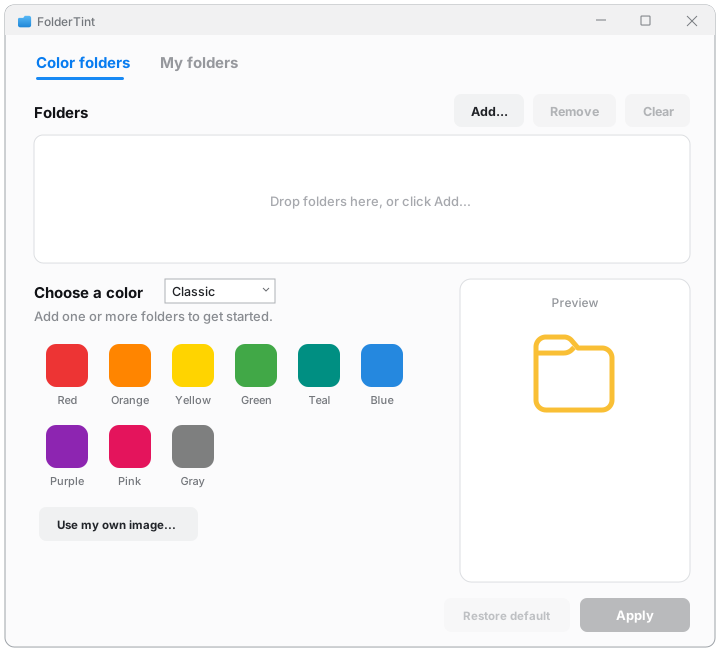
Colors, custom icons, and searchable tags for Windows folders. Right from the right-click menu.


No import wizards, no separate workspace. FolderTint works inside File Explorer, the way Windows should have.
FolderTint sits in the Windows 11 context menu, the real one, not buried under "Show more options". Right-click any folder, pick a color, and it changes instantly. Multi-select works too.
Use your own PNG or JPG as a folder icon. FolderTint converts it to a crisp icon at every size.
Tag folders with anything, add notes, and find them later in the My folders view.
Restore returns a folder to exactly how it was. FolderTint never touches the files inside.
Designed around the 2026 Windows security changes that quietly broke older folder tools.
FolderTint appears in the menu with all nine colors, each shown with its own icon.
The folder changes on the spot. No refresh, no restart, no waiting.
Every styled folder lands in your library, where tags, notes, and search keep your projects one keystroke away.
One purchase, yours forever, on every PC signed in with your Microsoft account. No subscription, no account to create, no license keys.
No. Coloring a folder changes only how the folder looks, using the same mechanism Windows itself uses. Your files are never moved, renamed, or modified, and Restore puts the folder back exactly as it was.
Windows 11 is fully supported, including the modern right-click menu. FolderTint is built and tested against the latest Windows security updates, on both Intel/AMD and ARM machines.
Nothing! The trial never expires. Red, blue, green, and the full library are yours for as long as you like. The one-time purchase adds the remaining six colors and custom images.
On your PC, and nowhere else. Tags, notes, and your folder library are stored locally in your Windows profile. FolderTint has no accounts, no cloud, and no telemetry. See the privacy policy.
Purchases go through the Microsoft Store, so Microsoft's standard refund process applies. Request one from your Microsoft account's order history.